Shutter speed is the amount of time your camera’s sensor is exposed to light when you take a photo. It is one of the three core exposure settings – along with aperture and ISO – and it has a major effect on both image brightness and how motion appears in your photographs.
A fast shutter speed can freeze a bird in flight, a player mid-action or a child running through the frame. A slow shutter speed can soften moving water, create light trails or add a sense of energy to a panning shot.
What Is Shutter Speed?
Shutter speed is measured in seconds or fractions of a second.
- Fast shutter speed: 1/1000-sec., 1/2000-sec. or faster
- Moderate shutter speed: 1/125-sec. to 1/500-sec.
- Slow shutter speed: 1/30-sec., 1/10-sec., one second or longer
The shorter the exposure, the less motion your camera records. The longer the exposure, the more movement can appear as blur.
How Shutter Speed Affects Your Photos
Shutter speed affects two key parts of every photograph:
- Motion: Fast shutter speeds freeze movement; slower speeds blur movement.
- Exposure: Longer shutter speeds allow more light to reach the sensor. Faster shutter speeds allow less light.
Because shutter speed changes both movement and exposure, there is always a balance to consider. If you raise the shutter speed to freeze action, you may need to open your aperture or increase ISO to keep the image properly exposed.

The shutter open vs. the shutter closed on a Sony Alpha camera
Best Shutter Speeds For Freezing Action
For moving subjects, start with a shutter speed that matches the pace of the action. A person walking needs far less speed than a cyclist, bird or athlete.
Recommended starting points:
- Everyday movement, portraits and candid moments: 1/250-sec. to 1/500-sec.
- Kids, pets and active wildlife: 1/1000-sec. or faster
- Sports, birds in flight and fast wildlife: 1/2000-sec. or faster
For a closer look at applying these settings in the field, see 10 Quick Sports Photography Tips: How To Freeze Action With Your Alpha Camera. The article recommends starting at 1/1000-sec. or faster for sports, then increasing shutter speed as the action demands.
Sony Artisan Patrick Murphy-Racey photographed fast action in the image below at 1/3200-sec., f/4, ISO 320 using the Sony Alpha 9 III and Sony 600mm f/4 G Master lens.

Photo by Patrick Murphy-Racey. Sony Alpha 9 III. Sony 600mm f/4 G Master. 1/3200-sec., f/4, ISO 320
Shooting from farther away with a super-telephoto lens often calls for an even faster shutter speed. In Sports Pro Puts The New Sony 400-800mm f/6.3-8 G To The Test, Murphy-Racey captured this tennis image at 1/4000-sec., f/7.1, ISO 1600 with the Sony Alpha 9 III and Sony 400-800mm f/6.3-8 G lens.
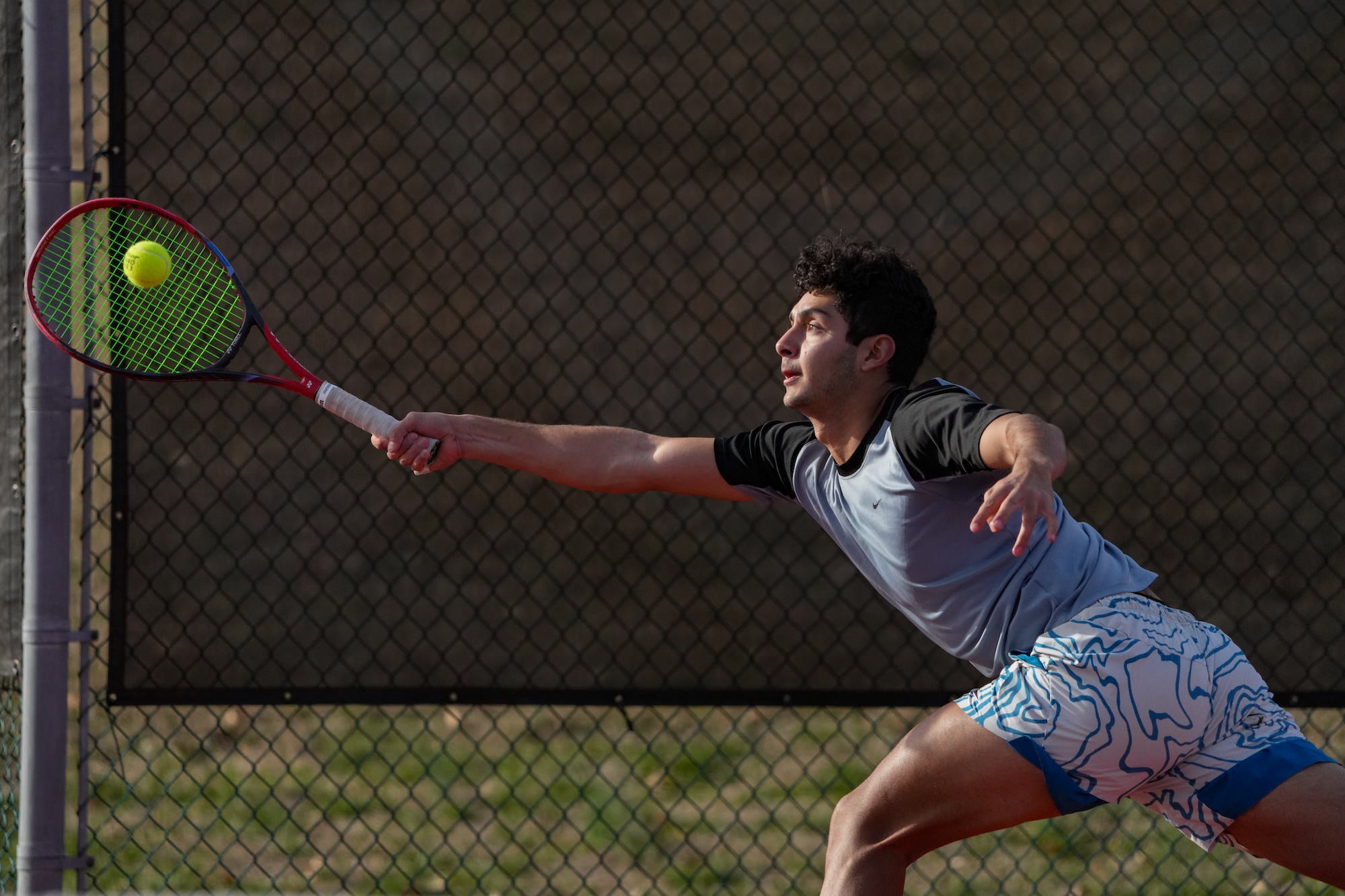
Photo by Patrick Murphy-Racey. Sony Alpha 9 III. Sony 400-800mm f/6.3-8 G. 1/4000-sec., f/7.1, ISO 1600
Use Slow Shutter Speeds To Create Motion Blur
A slow shutter speed lets you intentionally show movement in a photograph. This technique is useful for waterfalls, ocean waves, traffic, light trails and creative sports or street images.
Try these settings as a starting point:
- Panning with a moving subject: 1/30-sec. to 1/60-sec.
- Softening moving water: 1/10-sec. to 2 sec.
- Light trails and long exposures: Several seconds or longer
For a panning image, follow the moving subject smoothly as you press the shutter. The subject may remain relatively sharp while the background streaks with motion.
For longer exposures, use a tripod to keep the camera stable. Even small camera movements can blur stationary details when shooting at slower shutter speeds. In Mastering Long Exposure Photography: 5 Quick Tips For Capturing Time, smooth water is approached with shutter speeds around one to two seconds, while moving clouds can call for 30 seconds or longer.
Alpha Collective member Mike Meyers captured the image below with his Sony Alpha 1 and Sony 24-70mm f/2.8 G Master II with a 30-second shutter speed.

Photo by Mike Meyers. Sony Alpha 1. Sony 24-70mm f/2.8 G Master II. 30-sec., f/8, ISO 50
Shutter Speed In Low Light
A slower shutter speed can help you capture more light in dim scenes, but it can also introduce camera shake or subject blur. If your subject is moving, prioritize the shutter speed needed to keep it sharp, then use aperture and ISO to support your exposure.
For handheld photography, begin with a shutter speed that is fast enough to prevent visible camera shake – especially when using longer focal lengths. If you are photographing a moving subject in low light, do not rely on image stabilization alone. Stabilization can help reduce blur from camera movement, but it cannot stop a moving subject.
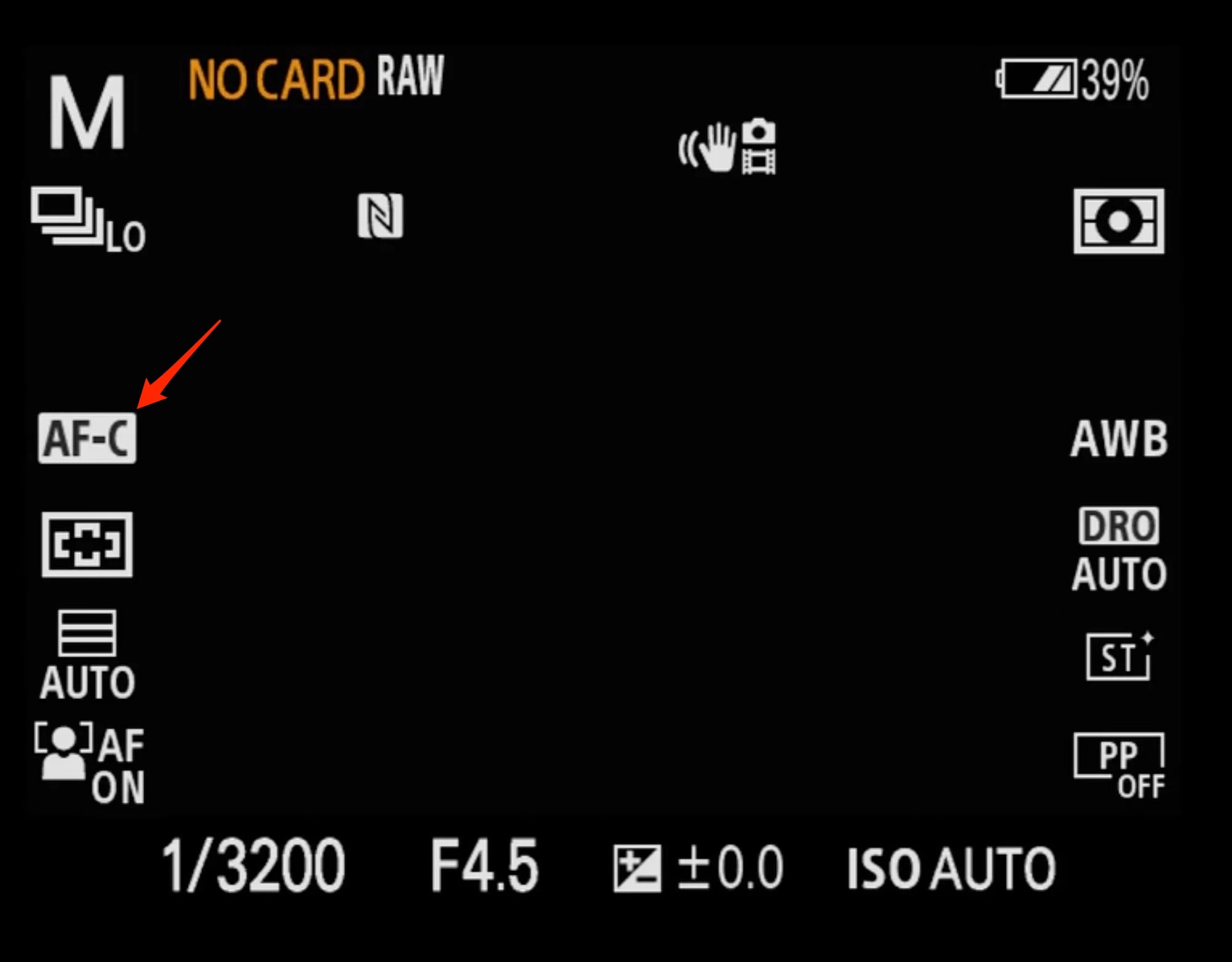
Using AF-C for continuous autofocus and an appropriate shutter speed can help you keep moving subjects sharp. Sony Alpha cameras offer strong autofocus and low-light capabilities, giving you more flexibility to hold the shutter speed your scene requires while adjusting ISO as needed.
In low light, protect the shutter speed your moving subject needs, then increase ISO to maintain exposure. Sony Artisan Jean Fruth photographed the fan action below at 1/1000-sec., f/2.8, ISO 4000 with the Sony Alpha 1 II and Sony 400mm f/2.8 G Master lens. The example shows how a higher ISO can support a fast shutter speed when available light is limited.

Photo by Jean Fruth. Alpha 1 II. 400mm f/2.8 G Master. 1/1250-sec., f/2.8, ISO 1600
How To Change Shutter Speed On Your Sony Alpha Camera
You can control shutter speed in two primary exposure modes:
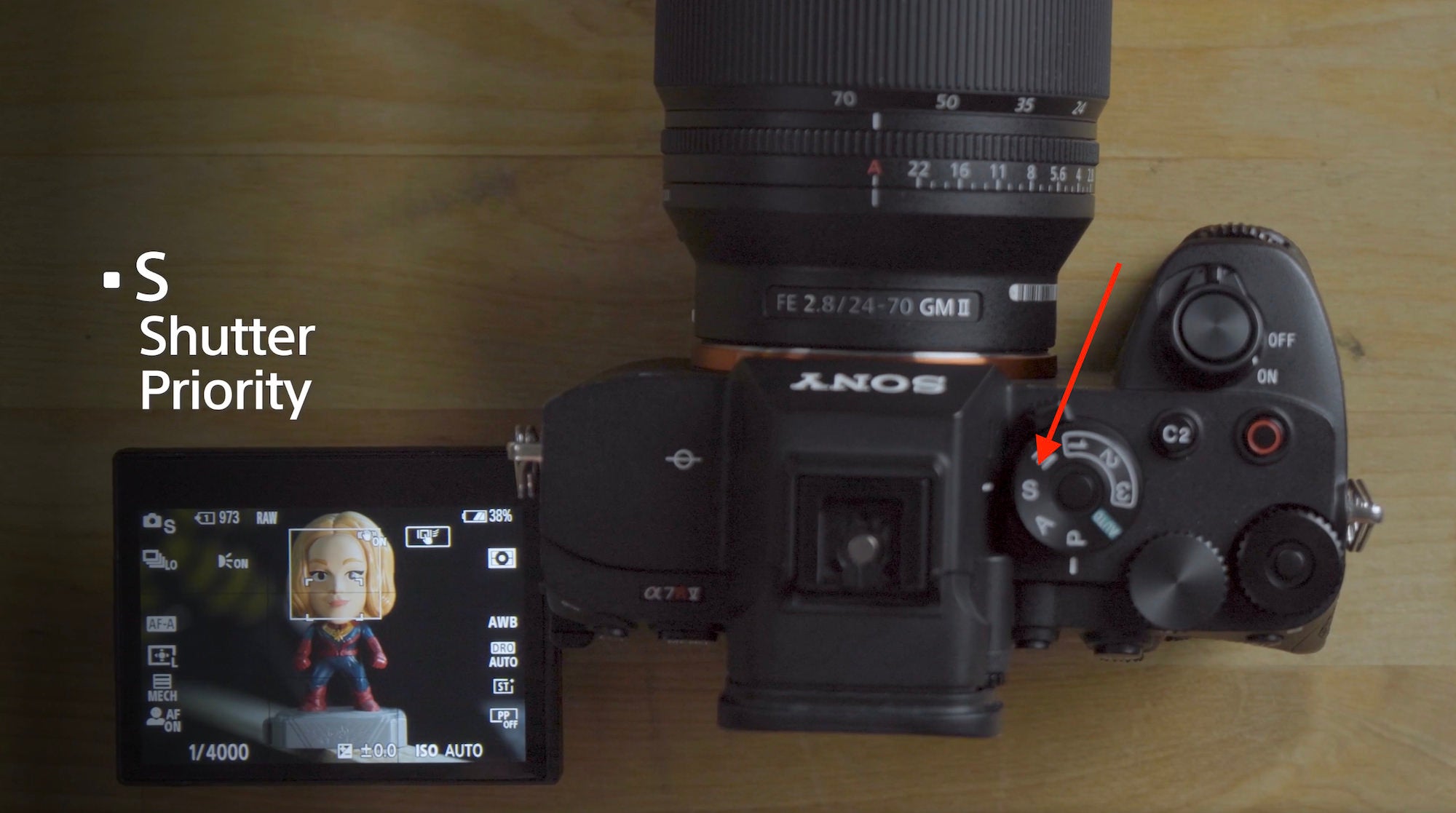
Shutter Priority Mode (S)
Set your camera’s mode dial to S for Shutter Priority. Choose the shutter speed with a control dial, and the camera selects an aperture for a balanced exposure.
This is a useful mode when motion is your top priority, such as photographing sports, wildlife or movement in the street.
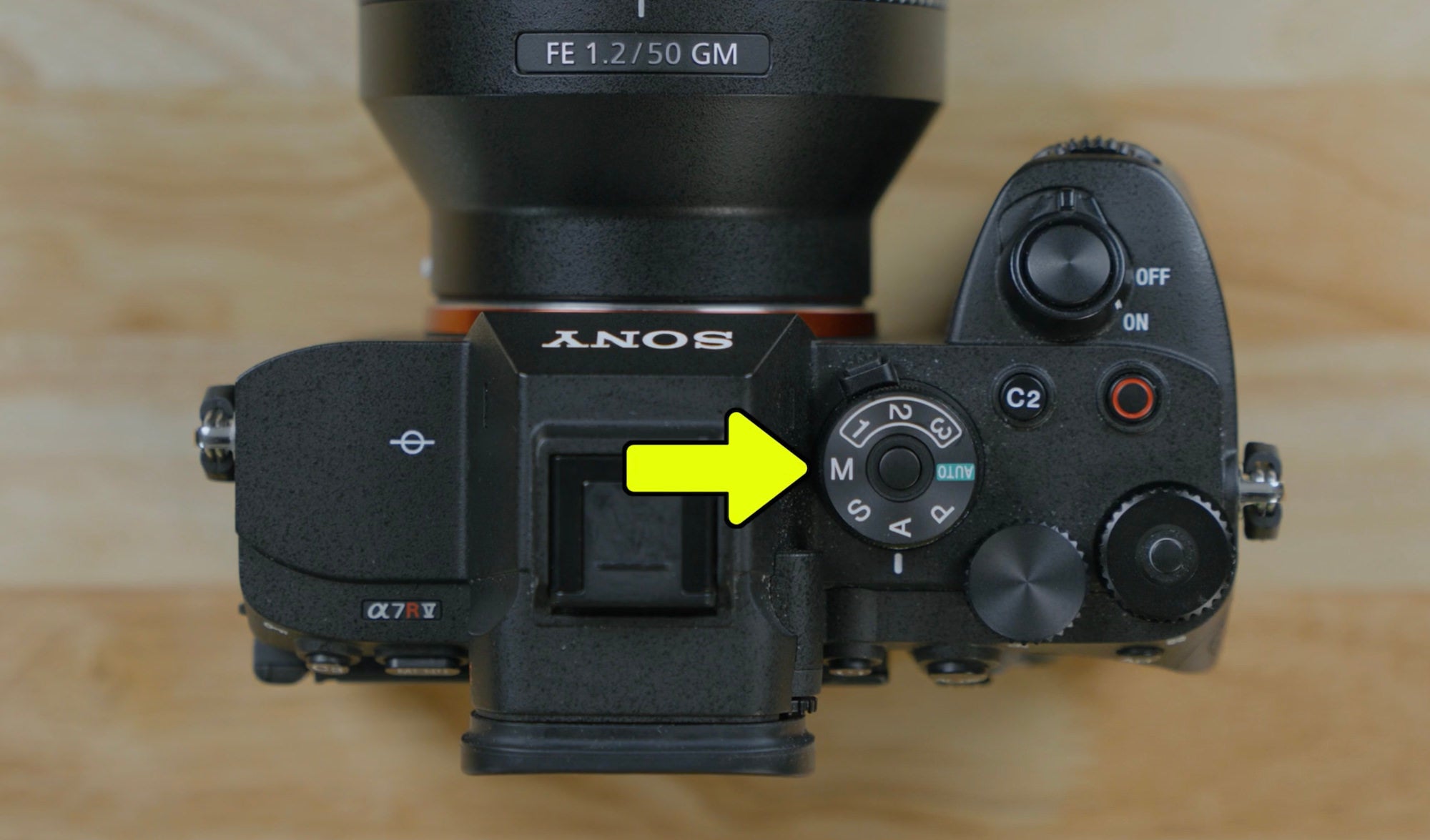
Manual Mode (M)
In Manual mode, you choose both shutter speed and aperture. Use the exposure meter to guide your settings, then adjust ISO as needed.
Manual mode with Auto ISO is a practical option when you want consistent control over motion and depth of field while lighting conditions change.
Learn Shutter Speed With Alpha Camera Academy
The best way to understand shutter speed is to see how it changes your results. Photograph the same subject at several different settings, then compare how motion and exposure change from image to image.
For guided instruction, explore Alpha Camera Academy. The free learning platform includes courses designed to help you build confidence with your Sony Alpha camera.
Start with Photo Fundamentals 101 to learn the essentials of exposure, focus, composition and light. Then explore Camera Fundamentals 101 for a deeper look at exposure modes, camera controls, menus and customization.
Create a free account to access full courses, track your progress, take quizzes and earn badges.
(The holidays are near - need new gear? See how you can save on Sony cameras, lenses and more here.)